In Java, strings are objects. Because of this, comparing them is not as straightforward as comparing primitive values like numbers. Many beginners trip over comparing strings using ==, leading to silent bugs that are hard to catch.
In this guide, we will look at how Java handles string comparison under the hood and trace the execution of reference equality vs. value equality.
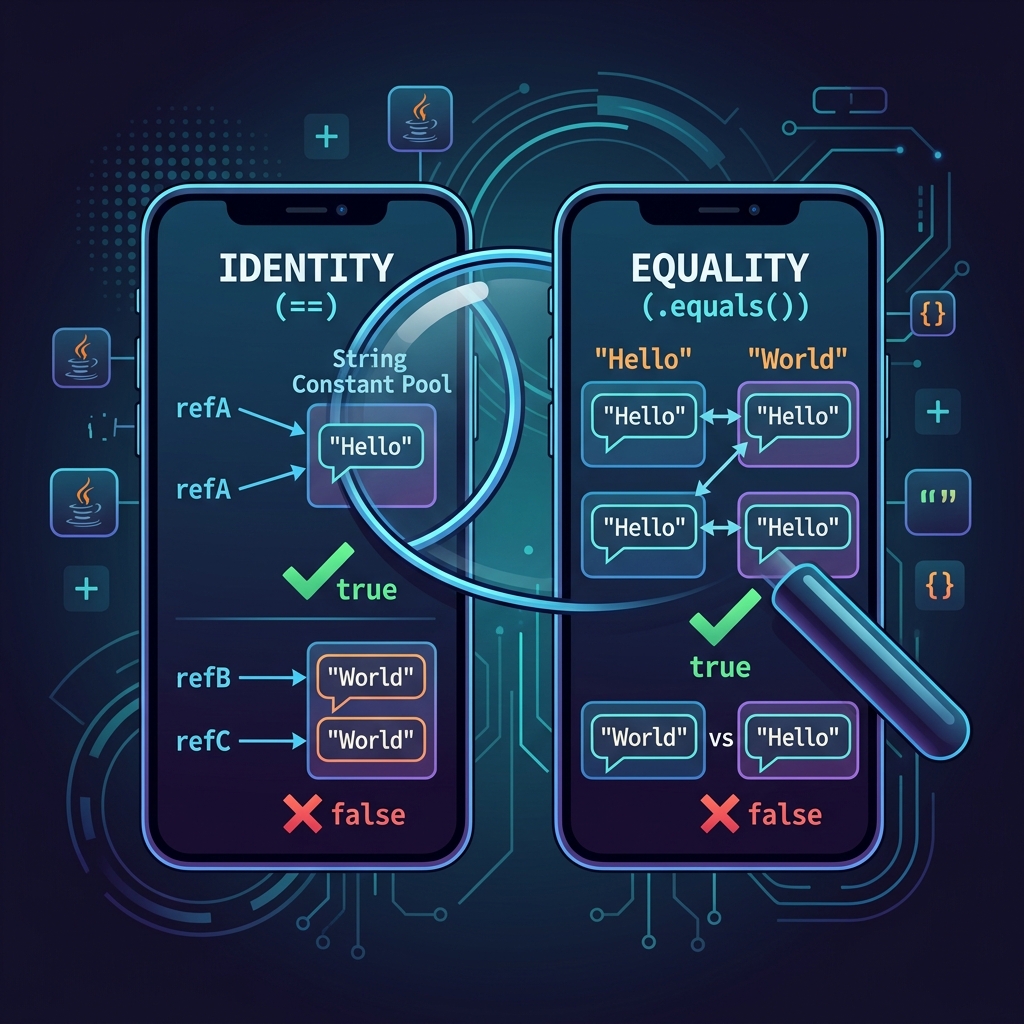
Imagine you and your friend own the exact same model of a smartphone, in the same color, with the same configurations:
- Value Equality (
.equals()): If you compare the features, specifications, and files on the two phones, they are equal. They contain the same data. - Reference Equality (
==): If you check if they are the exact same physical phone, they are not. They are two separate physical objects sitting in different places in your hands.
In Java, == checks if the variables point to the same location in memory (the exact same physical object). .equals() compares the contents within the objects.
Walkthrough of the Main Method Scenario
Let's trace the execution of the comparison code step by step:
String s1 = "sourav";
String s2 = new String(s1);
Here, s1 points to a string literal in Java's String Constant Pool.
When we run new String(s1), Java is forced to construct a completely new String object on the heap memory.
They hold the same text, but occupy different locations in memory.
if (s1 == s2)
    System.out.println("s1 == s2");
The JVM checks if the reference pointer of s1 matches the reference pointer of s2.
Since one is in the constant pool and the other is a heap object, the addresses are different.
The expression evaluates to false, and nothing is printed.
if (s1.equals(s2))
    System.out.println("s1.equals(s2)");
The .equals() method in the String class is overridden to compare character-by-character.
It walks through both strings, sees that both contain "sourav", and returns true.
The program prints: s1.equals(s2).
Java Implementation
Below is the complete Java code showing this behavior:
package io.practise.advancedClassDesign;

public class StringEqulals {
    public static void main(String[] args) {
        String s1 = "sourav";
        String s2 = new String(s1);

        if (s1 == s2)
            System.out.println("s1 == s2");

        if (s1.equals(s2))
            System.out.println("s1.equals(s2)");
    }
}
Conclusion
Always use .equals() to compare strings when you care about their values (i.e. if the text is the same). Only use == if you specifically want to check if they are the exact same instance in memory.