Out of the box, the Kafka Producer is configured for low latency. It sends messages over the network almost immediately. However, if your application generates millions of events a second, sending each message individually creates massive network overhead, slowing down your system.
To publish large volumes of data efficiently, you must configure the producer for **high throughput**. Let's review the four most important variables to tune on your producer client to boost processing capacity.
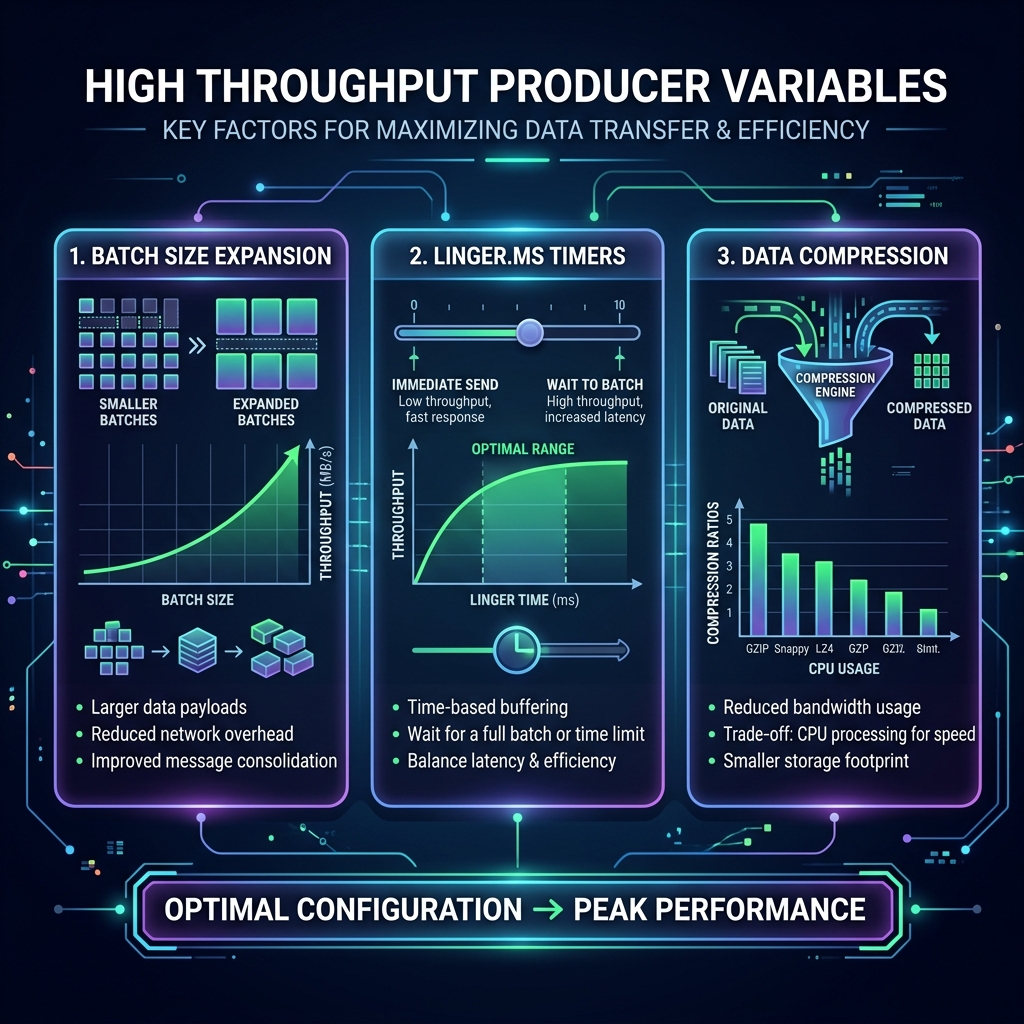
Imagine running a mail shipping department:
- Low Latency (Default): Every time an envelope is written, a delivery driver jumps in a truck and drives to the post office. It is fast for that single letter, but incredibly inefficient.
- High Throughput: You tell the team lead to pack letters into larger boxes (
batch.size) and wait up to 20 minutes (linger.ms) to fill the box before loading it onto a truck. You also compress/vacuum-pack the boxes (compression.type) to fit twice as many letters in the truck.
The Four Key Tuning Parameters
1. batch.size (Default: 16KB)
The producer groups records in memory before sending them. batch.size sets the maximum byte size of a single batch. Increasing this limit to 64KB or 128KB allows the producer to pack more records into a single network packet, reducing routing overhead.
2. linger.ms (Default: 0ms)
By default, the producer sends a batch immediately (0ms wait) even if it only has 1 record. By setting linger.ms to 5ms to 50ms, you instruct the producer to wait a few milliseconds for more records to arrive, giving the batch time to fill up. This dramatically boosts throughput at the cost of a tiny, negligible latency penalty.
3. compression.type (Default: none)
Compressing message batches reduces network utilization and disk storage. Choose lz4 or snappy for high-throughput pipelines. LZ4 is extremely fast and has very low CPU overhead, while providing significant size reduction.
4. buffer.memory (Default: 32MB)
If your application generates records faster than the sender thread can transmit them, the producer buffers them in memory. Under heavy loads, increase buffer.memory to 64MB or 128MB to prevent your application threads from blocking due to buffer exhaustion.
High Throughput Java Configuration Example
Here is how to set up your Kafka Producer properties in Java for maximum throughput:
Properties props = new Properties();
props.put("bootstrap.servers", "localhost:9092");
props.put("key.serializer", "org.apache.kafka.common.serialization.StringSerializer");
props.put("value.serializer", "org.apache.kafka.common.serialization.StringSerializer");

// High Throughput Tuning:
props.put("batch.size", "65536");         // 64 KB batches
props.put("linger.ms", "20");             // Wait up to 20ms for batches to fill
props.put("compression.type", "lz4");     // Compress using ultra-fast LZ4
props.put("buffer.memory", "67108864");   // 64 MB buffer memory pool

KafkaProducer<String, String> producer = new KafkaProducer<>(props);
Conclusion
By combining larger batches (batch.size), brief buffer wait times (linger.ms), fast compression algorithms (lz4), and healthy memory pools, you allow your Kafka Producer to group events efficiently, unlocking the capability to publish millions of events per second.