In Apache Kafka, messages are not deleted as soon as consumers read them. So how does a consumer know which message to read next when it restarts or polls a broker? The answer lies in **Offsets**.
An offset is a unique, sequential number assigned to each record inside a partition. Managing these offsets correctly is the difference between an application that processes data smoothly and one that suffers from message loss or duplicate processing.
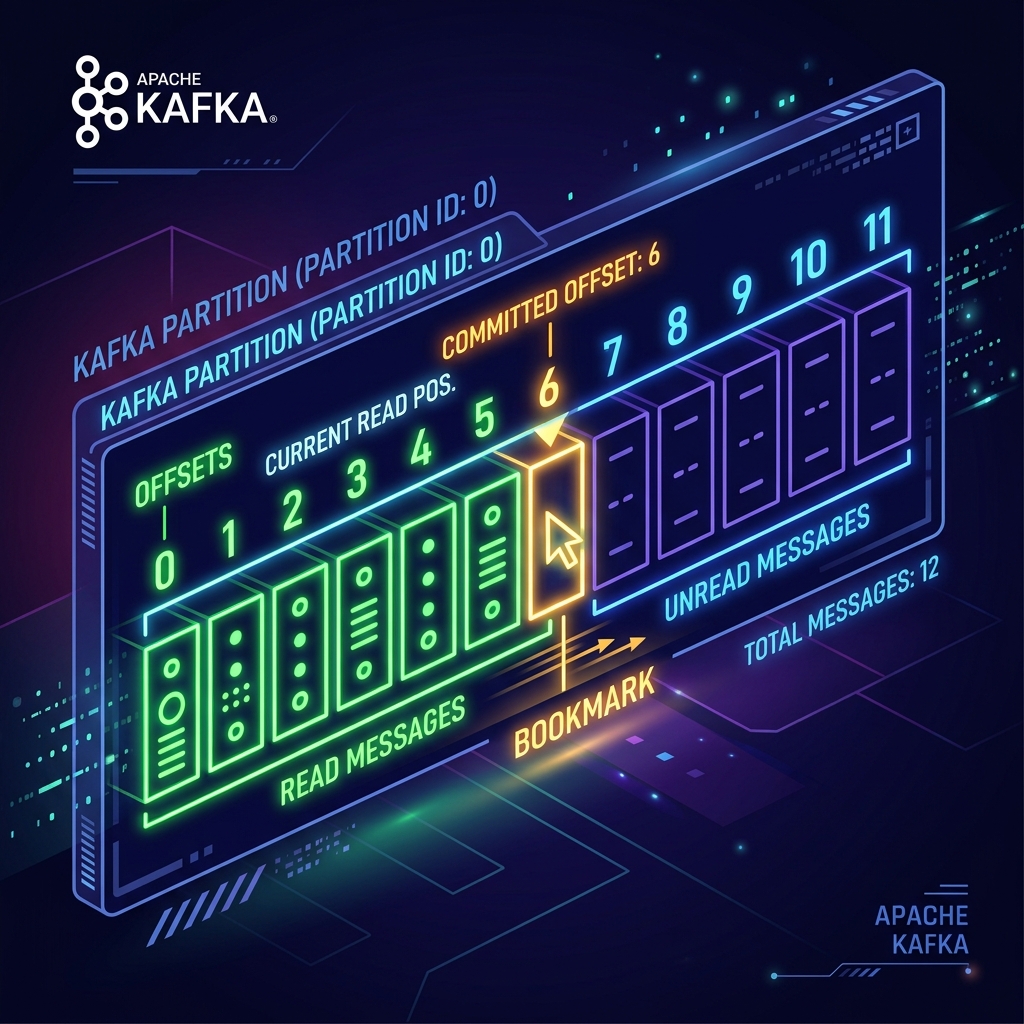
Imagine reading a 500-page book in a library. When you need to go home, you don't tear out the pages you've read. Instead, you put a **bookmark** on page 42. When you return tomorrow, you look at your bookmark and immediately resume reading from page 43.
In Kafka, the partition is the book, and the **offset** is your bookmark. If your consumer crashes or restarts, it reads its committed offset bookmark from Kafka and picks up right where it left off.
How Kafka Tracks Offsets
Under the hood, Kafka stores consumer group reading progress in an internal system topic called __consumer_offsets. When a consumer completes processing a set of messages, it "commits" its offset, notifying Kafka of its new reading position.
You can choose between two main offset committing strategies:
1. Automatic Committing (Auto-Commit)
By setting enable.auto.commit = true, the consumer client will automatically commit offsets in the background at regular intervals (defined by auto.commit.interval.ms, default is 5000ms).
The Risk: If your consumer polls a batch of messages, auto-commits the offset, and then crashes before it finishes processing the actual work, those messages are lost to your business logic because the bookmark has already moved forward.
2. Manual Committing
For critical data pipelines, you should disable auto-commits and commit offsets manually using Java code. You do this in two ways:
- commitSync(): Blocks the thread until the broker acknowledges the commit. It is reliable but adds latency.
- commitAsync(): Non-blocking. It fires the commit request and continues processing. It is highly efficient but cannot automatically retry on failures.
Manual Offset Commit Example in Java
Here is how to disable auto-commits and run a manual, safe processing loop in Java:
import org.apache.kafka.clients.consumer.*;
import java.time.Duration;
import java.util.*;

Properties props = new Properties();
props.put("bootstrap.servers", "localhost:9092");
props.put("group.id", "order-processors");
props.put("key.deserializer", "org.apache.kafka.common.serialization.StringDeserializer");
props.put("value.deserializer", "org.apache.kafka.common.serialization.StringDeserializer");

// 1. Disable Auto-Commit
props.put("enable.auto.commit", "false");

KafkaConsumer consumer = new KafkaConsumer<>(props);
consumer.subscribe(Collections.singletonList("orders"));

try {
    while (true) {
        ConsumerRecords records = consumer.poll(Duration.ofMillis(100));
        for (ConsumerRecord record : records) {
            // 2. Process message
            System.out.printf("Processing: key=%s, value=%s%n", record.key(), record.value());
        }

        // 3. Commit offset manually after processing completes successfully
        if (!records.isEmpty()) {
            consumer.commitSync();
        }
    }
} finally {
    consumer.close();
}
Conclusion
Offsets are the glue that allows Kafka consumers to remain stateless and resilient. In production environments, always prefer **manual offset commits** and ensure that you only commit offsets after your business logic finishes successfully to prevent data loss.