Before Java NIO introduced path routing wrappers, Java relied on its classic stream-based classes in the java.io package. These classes are designed to wrap around each other, building a pipeline to read or write characters efficiently.
In this guide, we will look at how to read file contents using BufferedReader and how to write lines using PrintWriter.
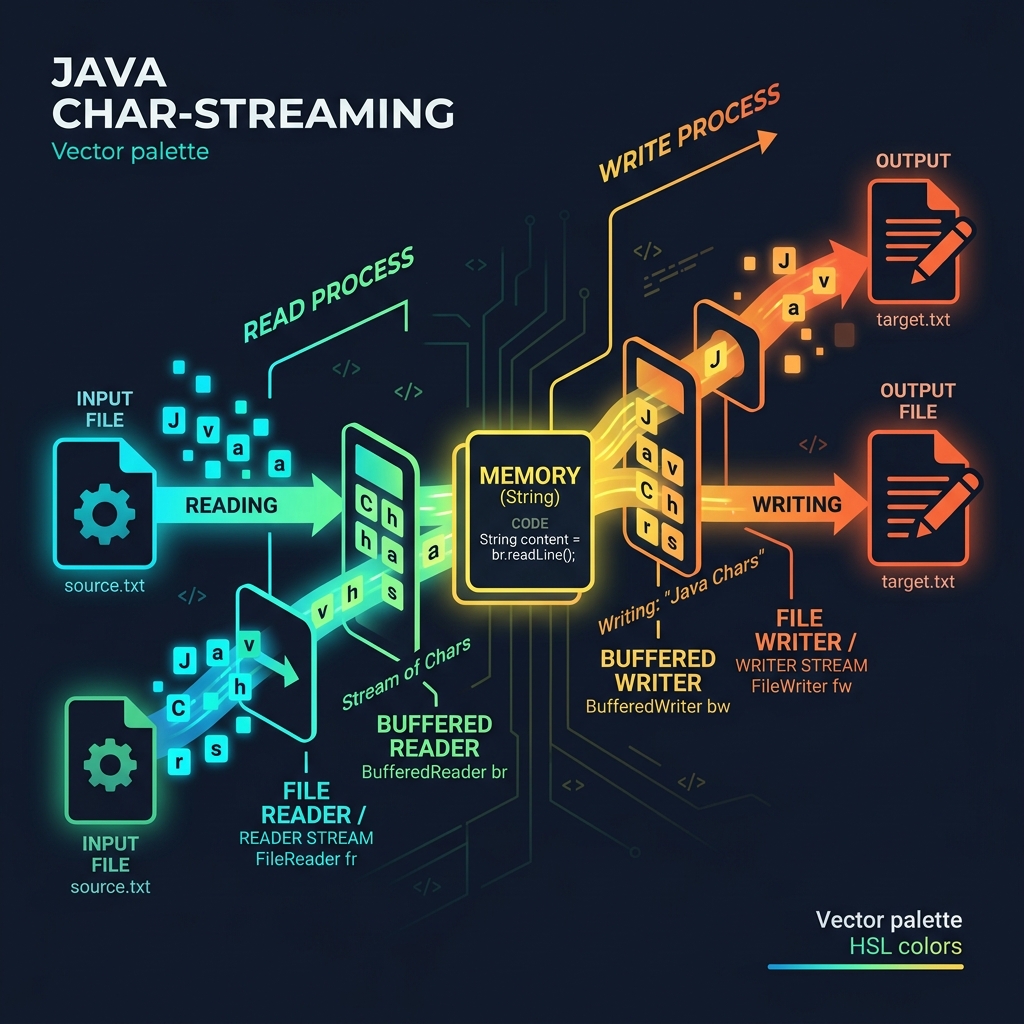
Imagine reading water out of a deep well:
- The Straw (
FileReader): This is a very thin straw that lets you sip water one single droplet (character) at a time. It is slow and tedious for drinking. - The Thermos Bucket (
BufferedReader): You place a thermos bucket at the end of the straw. It sucks up a large mouthful of water at once and stores it, allowing you to drink a whole glass (readLine) instantly.
1. Reading Files with BufferedReader
To read a file line-by-line, we wrap a raw FileReader inside a BufferedReader to enable buffering capability:
import java.io.BufferedReader;
import java.io.FileReader;
import java.io.IOException;

public class FileRead {
    public static void main(String[] args) {
        String content = textFromFile();
        System.out.println(content);
    }

    private static String textFromFile() {
        FileReader f = null;
        try {
            f = new FileReader("wordcheck.txt");
            BufferedReader b = new BufferedReader(f);

            String alltext = "";
            String line = "";
            while ((line = b.readLine()) != null) {
                alltext += line + "\n";
            }
            return alltext;
        } catch (IOException e) {
            e.printStackTrace();
        } finally {
            if (f != null) {
                try {
                    f.close(); // Clean up resource handles!
                } catch (IOException e) {
                    e.printStackTrace();
                }
            }
        }
        return null;
    }
}
2. Writing Files with PrintWriter
To write text lines to a file, we wrap a FileWriter inside a PrintWriter, which gives us access to convenient methods like println():
import java.io.FileWriter;
import java.io.PrintWriter;
import java.io.IOException;

public class FileWrite {
    public static void main(String[] args) {
        textToFile("Hello World.", "Classic IO is cool.", "Goodbye!");
    }

    private static void textToFile(String... lines) {
        PrintWriter w = null;
        try {
            w = new PrintWriter(new FileWriter("output.txt"));
            for (String s : lines) {
                w.println(s);
            }
            System.out.println("Done writing file!");
        } catch (IOException e) {
            e.printStackTrace();
        } finally {
            if (w != null) {
                w.close(); // Flush and close stream!
            }
        }
    }
}
Conclusion
While newer Java versions offer simpler one-liners to read files (like Files.readString()), understanding classic IO stream wrapping remains essential for handling large files without crashing memory.